
Última versión
Versión
26.2.38.1
26.2.38.1
Actualizar
mayo 13, 2026
mayo 13, 2026
Revelador
UniCredit Bank Czech Republic and Slovakia, a.s.
UniCredit Bank Czech Republic and Slovakia, a.s.
Categorías
Finanzas
Finanzas
Plataformas
Android
Android
Descargas
0
0
Licencia
Gratis
Gratis
Nombre del paquete
hr.asseco.android.jimba.mUCI.sk
hr.asseco.android.jimba.mUCI.sk
Reportar
Informar de un problema
Informar de un problema
Más información sobre SmartBanking SK
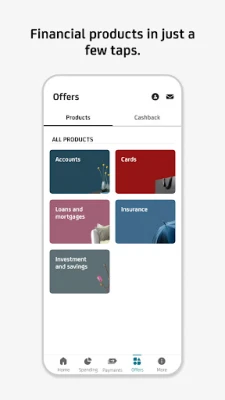
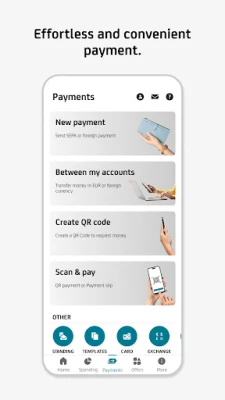
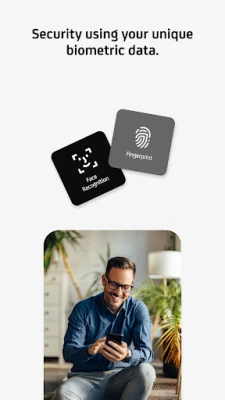
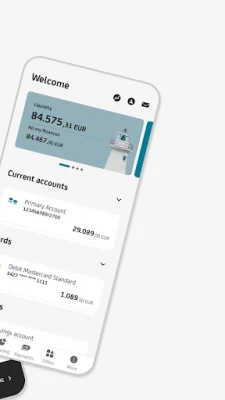
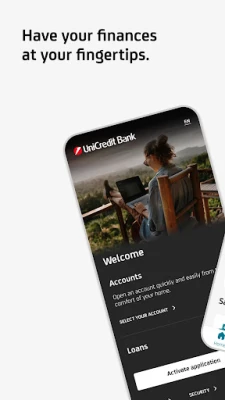
With Smart Banking, you always have your bank at your fingertips. The app is user-friendly and, most of all, secure. It enables you to enter payments, create and edit standing orders or repay your credit card. The app access as well as payment signatures are protected by your PIN code, fingerprint.
Smart Banking also includes Smart Key, with which you can authorize payments and other orders entered in Online Banking, both online and offline – using push notifications online or retrieving QR codes offline. You can also easily change your credentials in Smart Key. In case you forget your credentials, you can reset them using a photo of your registered identification documents and a selfie video. The app itself will guide you through resetting your credentials.
You can do much more with the app!
• Learn about what’s going on in your account after you turn on the push notifications.
• Transactions are automatically categorized and you can see your income and expenses in the Overviews section.
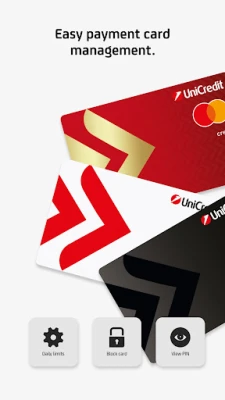
• Have you lost a debit card? You can simply temporarily block and unblock the card for free in the app.
• You can adjust the daily limit for debit card according to your needs.
• Check your account balance even without signing in to the app using Widget.
• You can also make payments by scanning a QR code (QR payment) or cheque.
• You can use payment templates and beneficiaries saved in Online Banking also in the Smart Banking app.
• Account statements, credit card statements and other documents are available in the Documents section.
• Get an instant overview of currency rates.
• Are you searching for an UniCredit Bank ATM or branch? You can find them in the app in an instant.
How to activate the app?
We have prepared a simple and unified activation process for you. Simply download the application and activate the application by using your Username and PIN. If you do not have this data, but you are a Client of UniCredit Bank, you can obtain it directly in the application.
You can do much more with the app!
• Learn about what’s going on in your account after you turn on the push notifications.
• Transactions are automatically categorized and you can see your income and expenses in the Overviews section.
• Have you lost a debit card? You can simply temporarily block and unblock the card for free in the app.
• You can adjust the daily limit for debit card according to your needs.
• Check your account balance even without signing in to the app using Widget.
• You can also make payments by scanning a QR code (QR payment) or cheque.
• You can use payment templates and beneficiaries saved in Online Banking also in the Smart Banking app.
• Account statements, credit card statements and other documents are available in the Documents section.
• Get an instant overview of currency rates.
• Are you searching for an UniCredit Bank ATM or branch? You can find them in the app in an instant.
How to activate the app?
We have prepared a simple and unified activation process for you. Simply download the application and activate the application by using your Username and PIN. If you do not have this data, but you are a Client of UniCredit Bank, you can obtain it directly in the application.
Valora la aplicación
Añadir comentario y reseña
Reseñas de usuarios
Basado en 0 de reseñas
Aún no se han añadido reseñas.
Los comentarios no serán aprobados si son SPAM, abusivos, están fuera de tema, contienen lenguaje obsceno, ataques personales o promueven el odio de cualquier tipo.