Última versión
Actualizar
mayo 05, 2026
mayo 05, 2026
Revelador
Twenty ten
Twenty ten
Categorías
Herramientas
Herramientas
Plataformas
Android
Android
Descargas
0
0
Licencia
Gratis
Gratis
Nombre del paquete
com.pdf.scanner.viewer.reader.edit.pro
com.pdf.scanner.viewer.reader.edit.pro
Reportar
Informar de un problema
Informar de un problema
Más información sobre PDF Pro - Scanner and Viewer
PDF Pro — Scanner & Viewer is a launcher app that perfectly combines document management tools with your home screen layout. It redefines the traditional way of accessing apps by directly integrating scanning, viewing, and file-management functions into the system sidebar screen (accessed by swiping right on the home screen).
🛠 Main features (access the sidebar screen by swiping right):
Document scanning and conversion
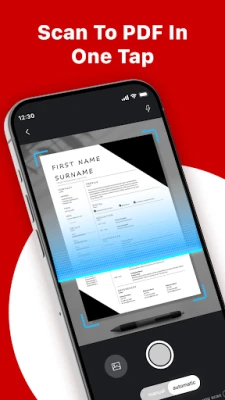
Quick scan: Launch the camera immediately from the sidebar screen to digitize paper notes, receipts, or contracts into PDF.
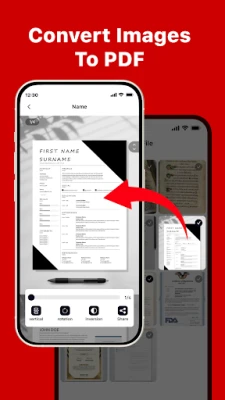
Image to document: Select photos from the gallery to digitize, supporting multi-page layout and organization.
Universal file viewing
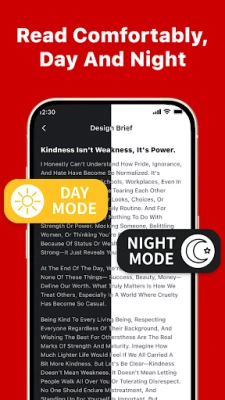
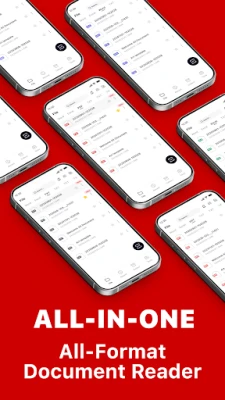
Multi-format support: Open and read PDF, Word, Excel, PPT, and TXT documents directly within the integrated management interface.
Unified preview: Seamlessly view files in the desktop sidebar without switching between multiple office apps.
System optimization and management
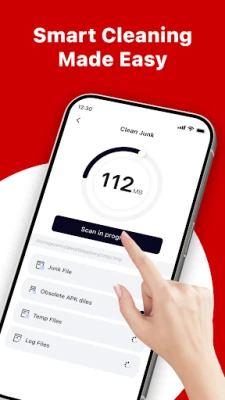
Storage cleanup: Use the sidebar’s built-in cleaning tools to remove junk files, free up space, and keep your phone running smoothly.
Auto-categorization: The system can sort and archive documents by name, date, or storage size.
Personalization: The app offers a curated selection of free wallpapers for customization.
⚠️ App note
This is a launcher app. After installation and setting it as the default launcher, your home screen layout will be updated:
READ_MEDIA_IMAGES: Used to access the images you select, such as for the "Image to PDF" feature.
MANAGE_EXTERNAL_STORAGE: Used for file management and cleanup scenarios; it scans storage space to help identify files that can be organized or deleted.
Main interface: adopts a clean icon layout.
Secondary screen (swipe right): access a professional document toolbox and a file management center.
You can download PDF Pro — Scanner & Viewer to try this innovative way of integrating office tools with home screen management.
Document scanning and conversion
Quick scan: Launch the camera immediately from the sidebar screen to digitize paper notes, receipts, or contracts into PDF.
Image to document: Select photos from the gallery to digitize, supporting multi-page layout and organization.
Universal file viewing
Multi-format support: Open and read PDF, Word, Excel, PPT, and TXT documents directly within the integrated management interface.
Unified preview: Seamlessly view files in the desktop sidebar without switching between multiple office apps.
System optimization and management
Storage cleanup: Use the sidebar’s built-in cleaning tools to remove junk files, free up space, and keep your phone running smoothly.
Auto-categorization: The system can sort and archive documents by name, date, or storage size.
Personalization: The app offers a curated selection of free wallpapers for customization.
⚠️ App note
This is a launcher app. After installation and setting it as the default launcher, your home screen layout will be updated:
READ_MEDIA_IMAGES: Used to access the images you select, such as for the "Image to PDF" feature.
MANAGE_EXTERNAL_STORAGE: Used for file management and cleanup scenarios; it scans storage space to help identify files that can be organized or deleted.
Main interface: adopts a clean icon layout.
Secondary screen (swipe right): access a professional document toolbox and a file management center.
You can download PDF Pro — Scanner & Viewer to try this innovative way of integrating office tools with home screen management.
Valora la aplicación
Añadir comentario y reseña
Reseñas de usuarios
Basado en 0 de reseñas
Aún no se han añadido reseñas.
Los comentarios no serán aprobados si son SPAM, abusivos, están fuera de tema, contienen lenguaje obsceno, ataques personales o promueven el odio de cualquier tipo.